Creating An Character
This is where you begin to start your modeling process! To make a character you'll have to use a reference sheet. Sometimes reference sheets are called 'concept art' as they serve a purpose to help guide you to make an object or character. Vertices play an important role in 3d models as they are the reason why models can appear in 3d. They mostly make up into a mesh as a single tiny dot. Becarful though, about your poly or vertices count as they can overwhelm and slow your computer as they can make Blender crash or worse, your computer. There are in-depth tutorials on YouTube as they may help you more to understand how to use and model in Blender other than reading.
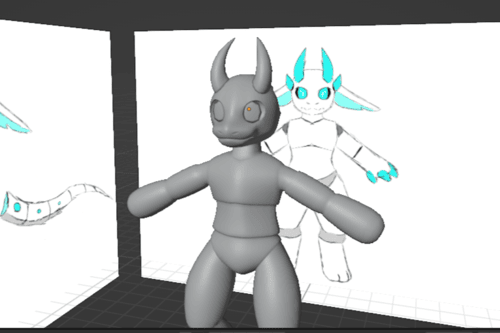
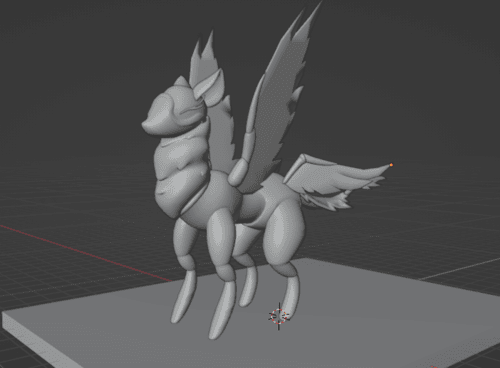
There are no right or wrong was to model characters besides adding too much poly's. You can scuplt, poly model, or simplistic style of modeling as it gives a old retro gamming look. Theres and image example of what an unfinished and finished model looks like.
Once you have your reference sheet, import it into Blender by going into add > image > reference and then choose a file of your choice.
The next step is to use a cube and subdivide it into a smooth but blocky circle. If you deleted the cub you can just add it back in by add > mesh > cube. Repeat till you have all the body parts in a desired shape.
Next, you can extrude the model's arms and legs to add hands and feet. To extrude, you press the 'E' key if you have a face selected. Faces are 4 connected vertices that can be made into a square shape. People call them quads for short as they are loved by everyone dude to also being important for 3d models.
To make clothing for your character instead of adding a new cube, you can duplicate the body's faces and separate it from the the mesh. If it doesn't get separated then the mesh will have extra, unwanted faces as they will mess the textures up in the future. To duplicate, you can select a face and use 'Shift + D'. To separate from the model, you can use 'P' key and click separate. And start designing the clothing however you want.
From here, you can model the rest of extra clothing before finally moving on to modeling the face! For making the face, you can optionally skip if you like flat 2d faces for your character or you can use a 3d face as they are a style choice. To make the eyes, add an sphere and another sphere for the pupils. Same for eyebrows but its in a long shape of an sphere. and for the nose, you can shape it out with another sphere.
Congrates! your done with modeling your character! Next is to add textures to it as it looks boring looking at a blank canvas. Give yourself an applause first to celebrate.